The finished Install-Kit
One app.
Every step to the Home Screen.
Explore a complete PWA installation guide: four illustrated steps for iPhone, four for Android. Your Install-Kit uses your app’s name, icons and accent color.
 iPhone · Safari
From the Share menu to an app on the Home Screen.
- 01
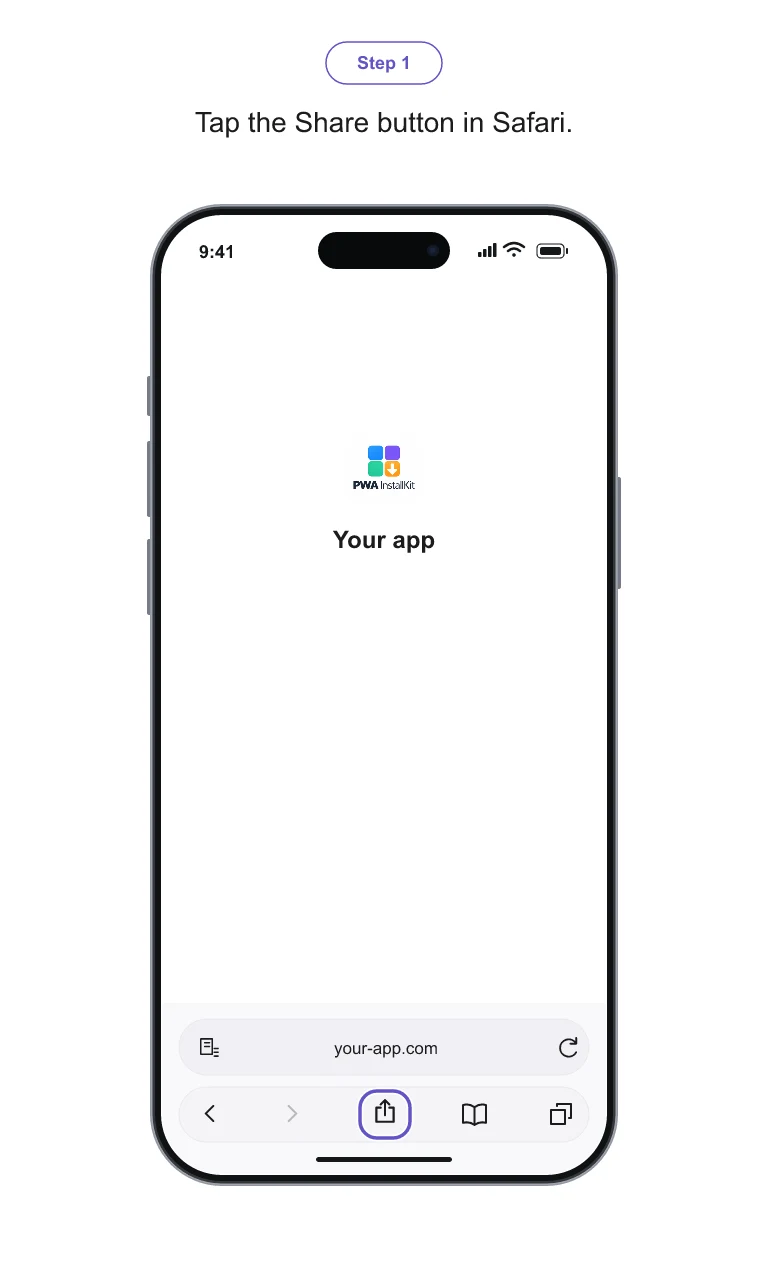
Tap the Share button in Safari.
- 02
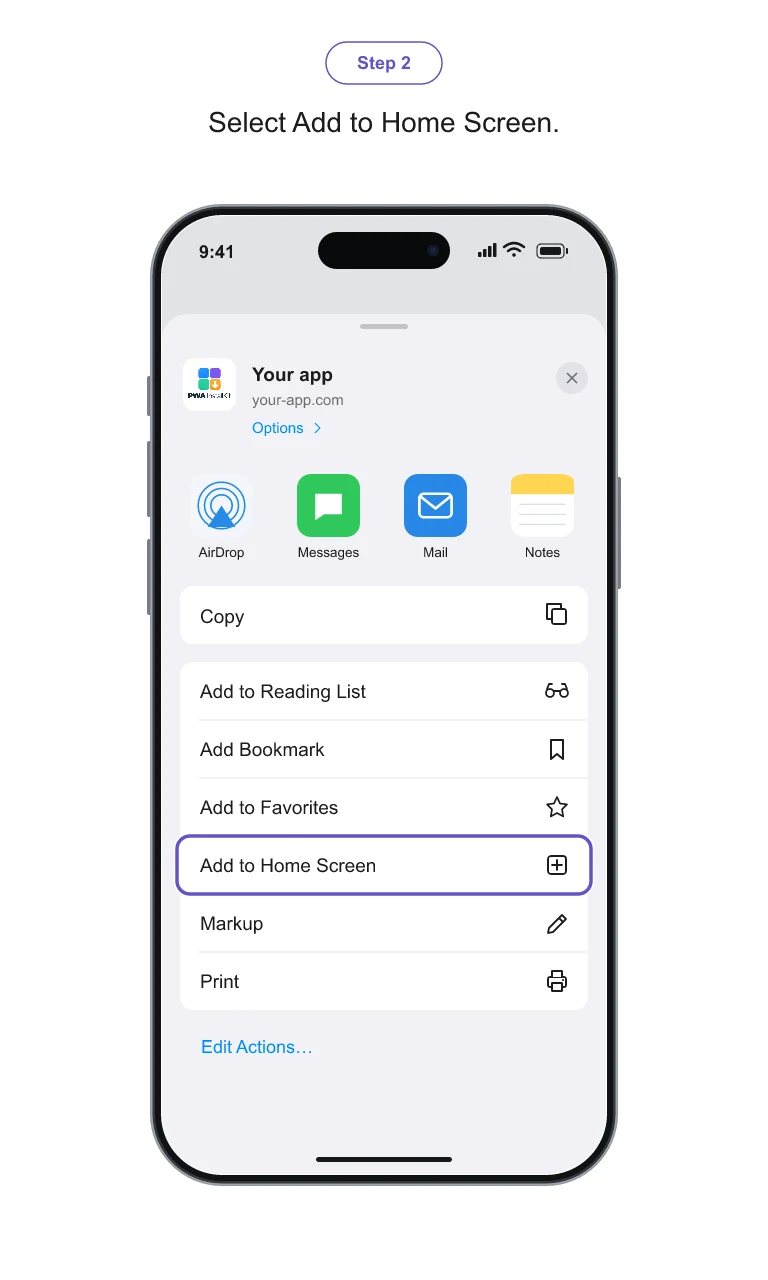
Select Add to Home Screen.
- 03
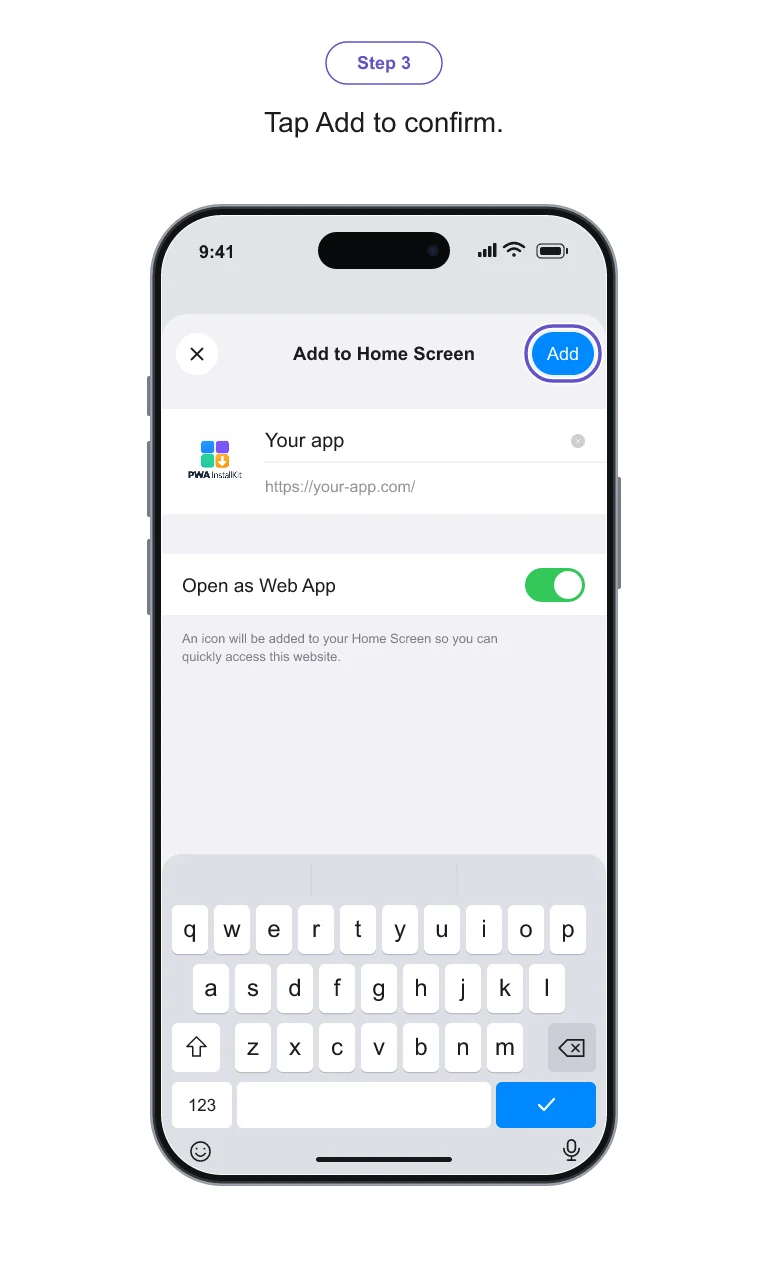
Tap Add to confirm.
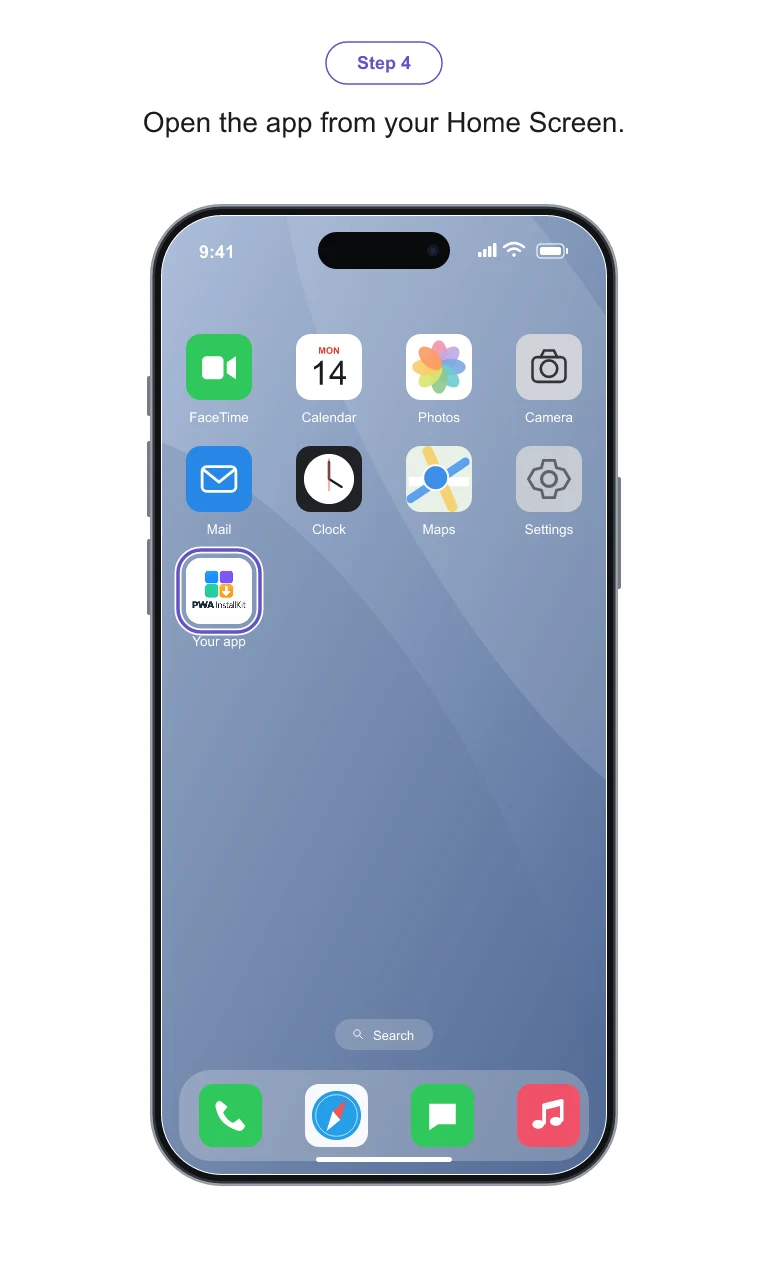
- 04
Open the app from your Home Screen.
 Android · Chrome
From the Chrome menu to a ready-to-open app.
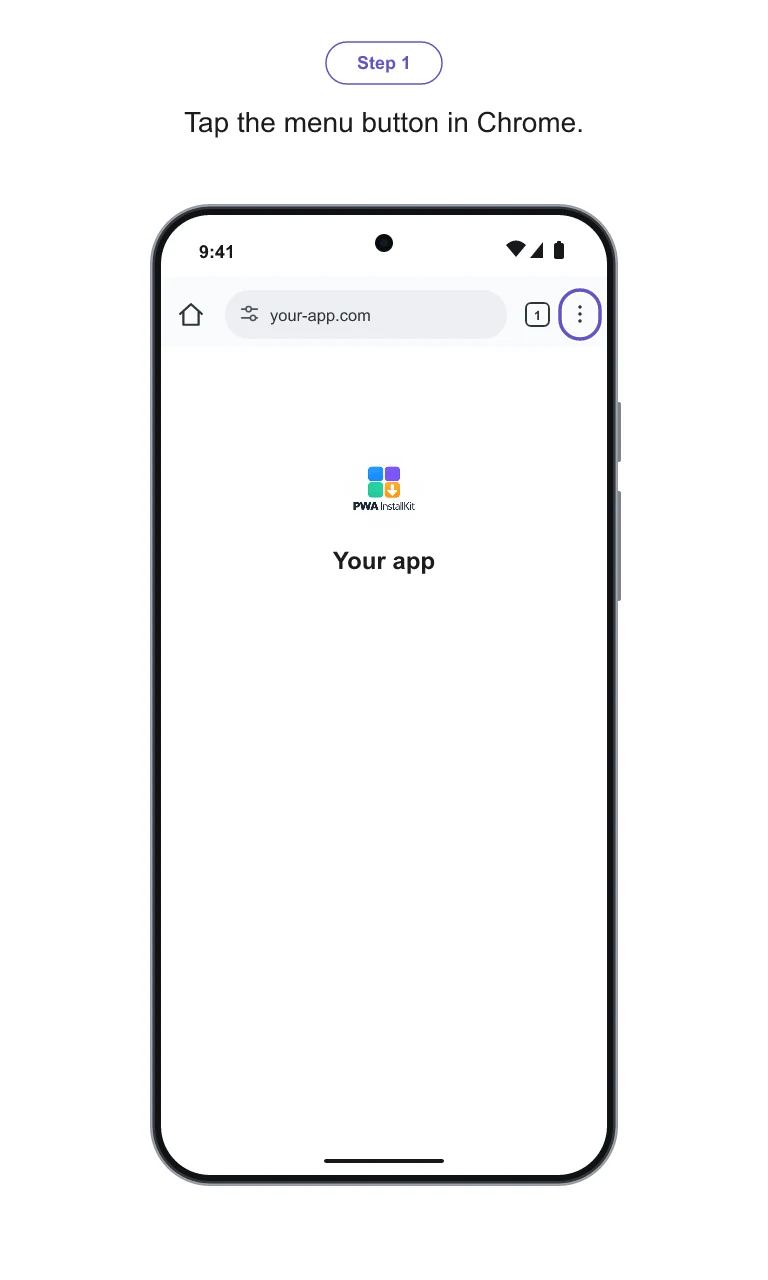
- 01
Open the menu in Chrome.
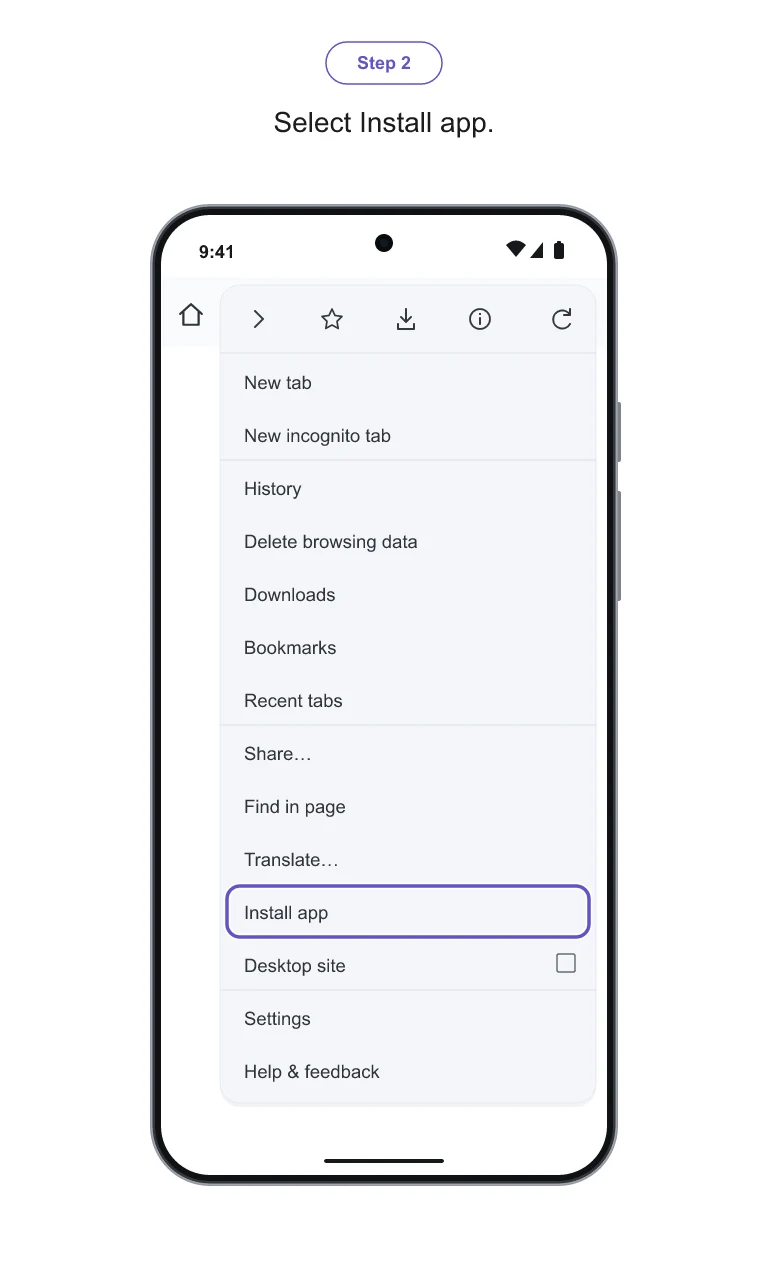
- 02
Select Install app.
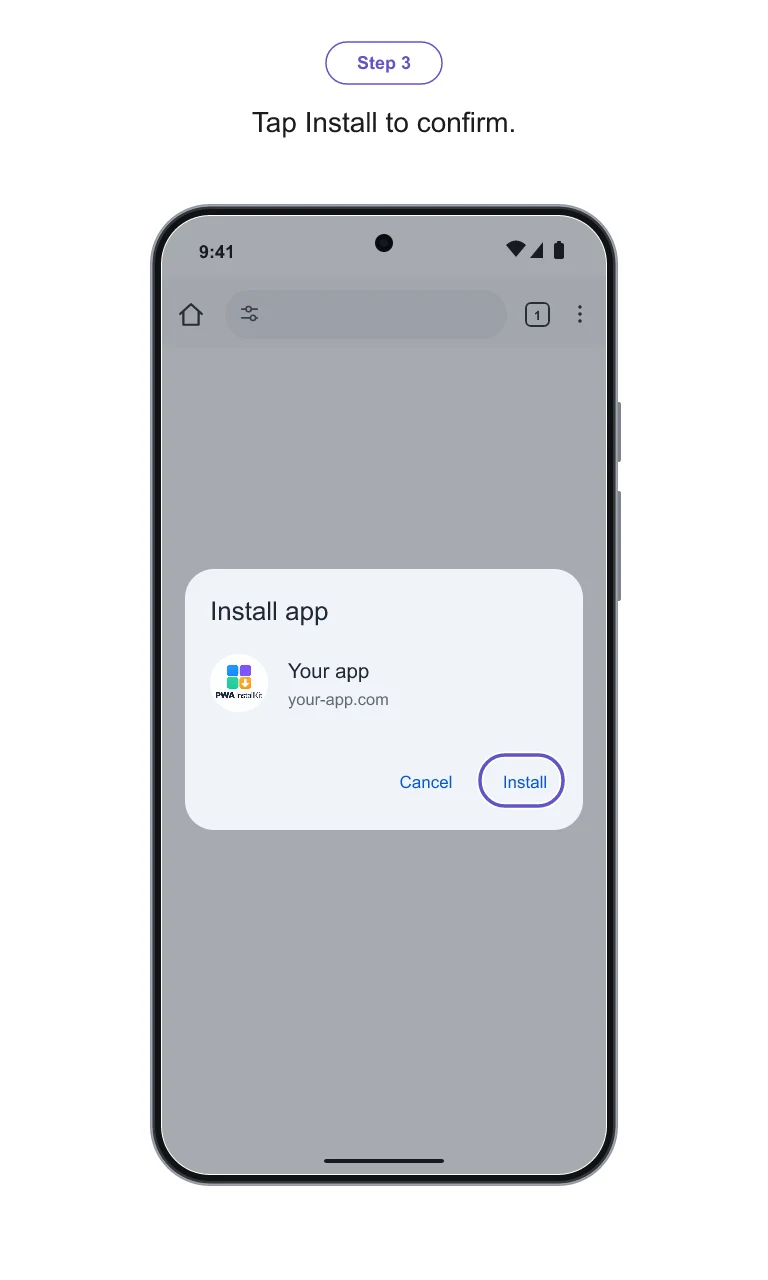
- 03
Confirm the installation.
- 04
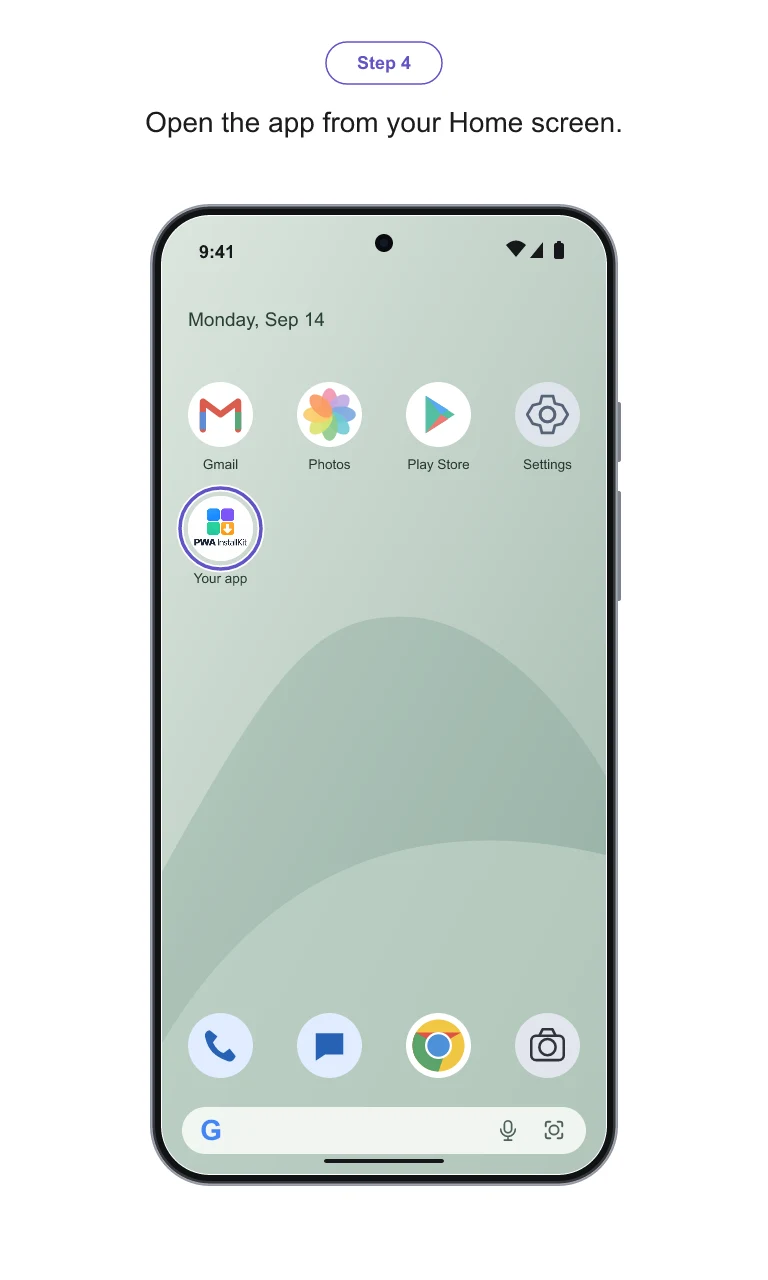
Open the app from your Home Screen.
Made for your onboarding
Your branding.
Your place to share it.
Put the exported PNGs in a help article, a welcome email or your website’s installation section. Add the step descriptions as selectable text beside the images so the instructions remain accessible.
Learn how to create and use your guide →- What changes?
- Your app name, visible address, iPhone and Android icons, and the accent color used for highlights.
- What do you download?
- Eight PNGs, individually or together in one ZIP. The browser and device illustrations come from our templates; we do not capture your complete website or export SVG templates.
- How long can you use it?
- Edit and re-download for 30 days from guide creation. Keep the files you downloaded and use them permanently.
Before you share
The illustrations show a supported template layout, including Safari’s bottom tab bar. Browser menus can differ by version and layout. Check the steps on the devices your users use. Creating a guide does not make a website installable or repair its PWA configuration.
Make the next guide yours.
One Install-Kit for your app. iPhone and Android included.